ZQ Classify
Configure and run ZettaQuant SEAL (Secure, Efficient, Accurate and Low-Cost) to analyze financial text directly inside Snowflake.
This page is where you define what to analyze, run the pipeline, and review results.
Overview
ZQ Classify is ZettaQuant’s core analysis engine. It processes financial documents and assigns structured labels to sentences using AI models running natively inside Snowflake.
It enables you to:
- Identify relevant content
- Classify policy, sentiment, and risk signals
- Generate structured outputs for downstream analytics
Pipeline Features
-
Advanced AI Capabilities
High-precision relevancy detection and structured financial text classification. -
Batch Processing
Efficiently process large document collections across your configured dataset. -
Incremental Analysis
Run analysis on newly ingested documents without reprocessing historical data. -
Structured Outputs
Results are written directly to Snowflake tables for reporting and metrics.
Workflow
Before running ZQ Classify, ensure the following prerequisites are completed:
Prerequisites
- Configure your dataset in Data Configuration
- Apply required Access Grants
Run Analysis
- Create analysis topics
- Click Run to start the pipeline
- Review results and proceed to Metrics
Creating Topics
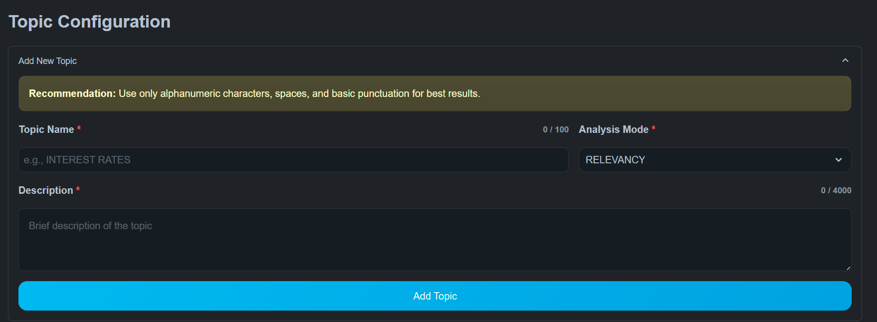
Each pipeline run is driven by one or more topics.
A topic includes:
- Topic name
- Analysis mode
- Description
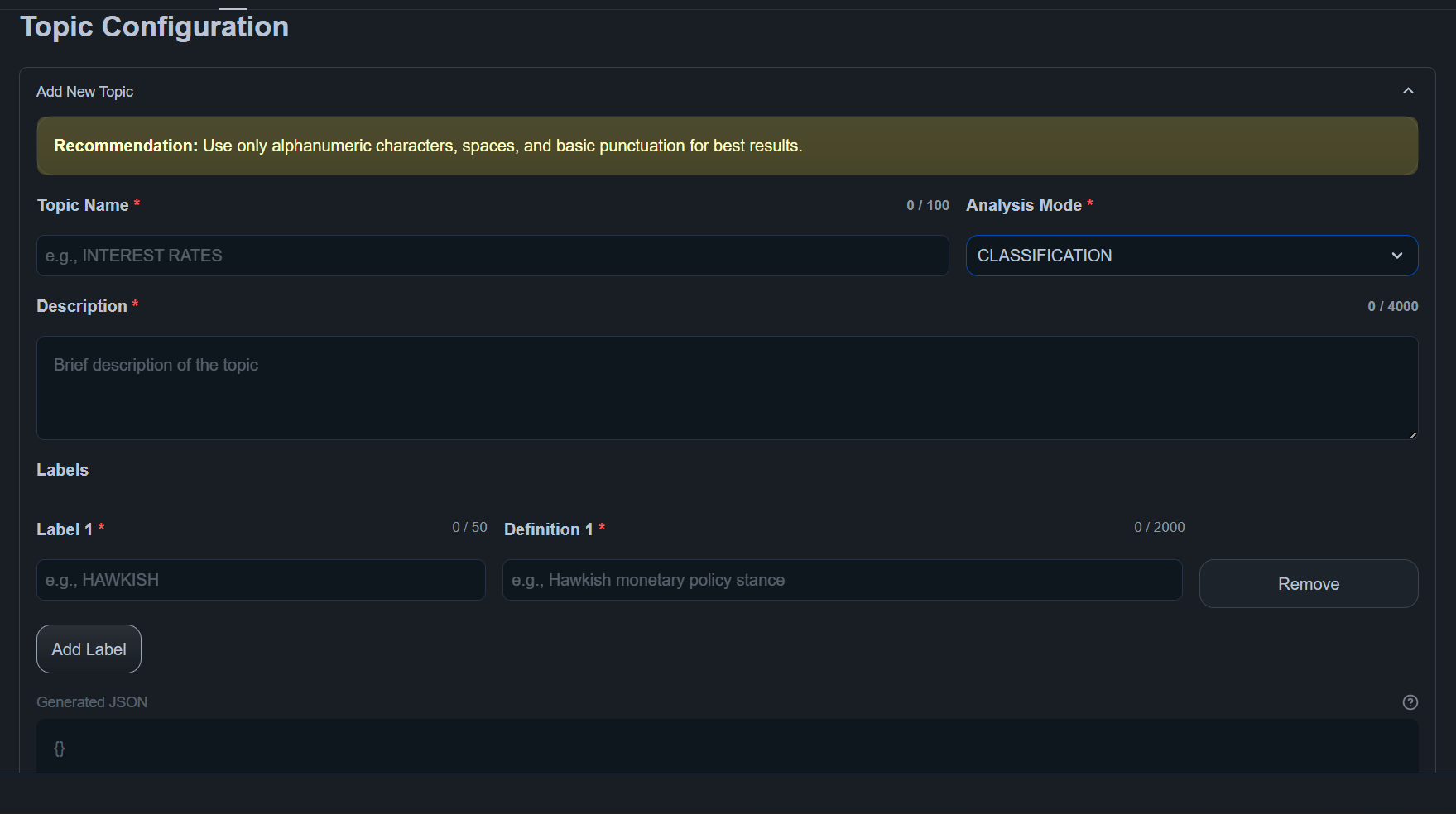
- Optional labels (for classification)
Topics define how documents are interpreted during analysis.
Analysis Modes
Relevancy
Determines whether each sentence is related to a topic.
Output:
RELEVANTIRRELEVANT
Use for:
- Event detection
- Topic discovery
- Content filtering
Classification
Assigns structured labels to sentences.
Labels are defined when creating the topic.
Use for:
- Sentiment analysis
- Policy stance detection
- Risk categorization
Running the Pipeline
After configuring topics:
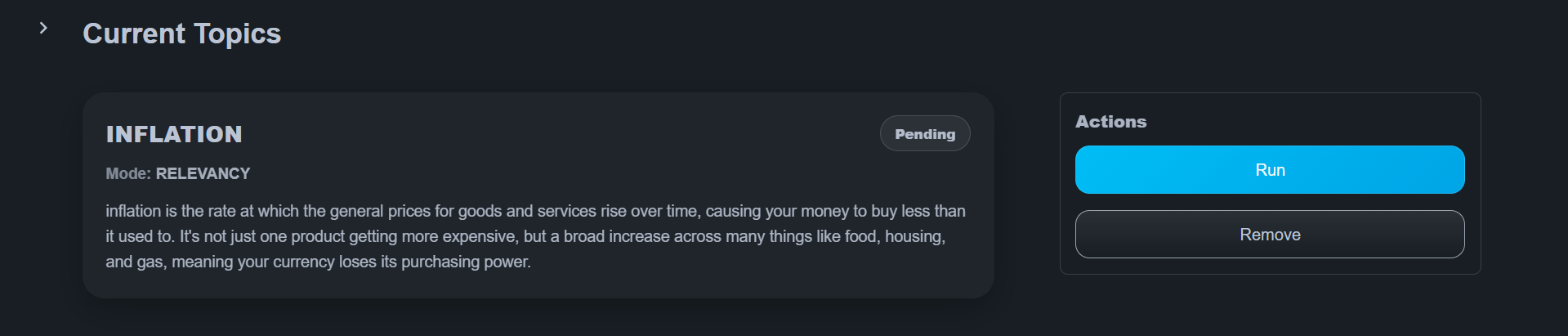
- Choose the topics to run
- Click Run
The system provisions compute resources and processes documents automatically.
Execution status is visible in the interface, including:
- Pending
- Running
- Completed
Results
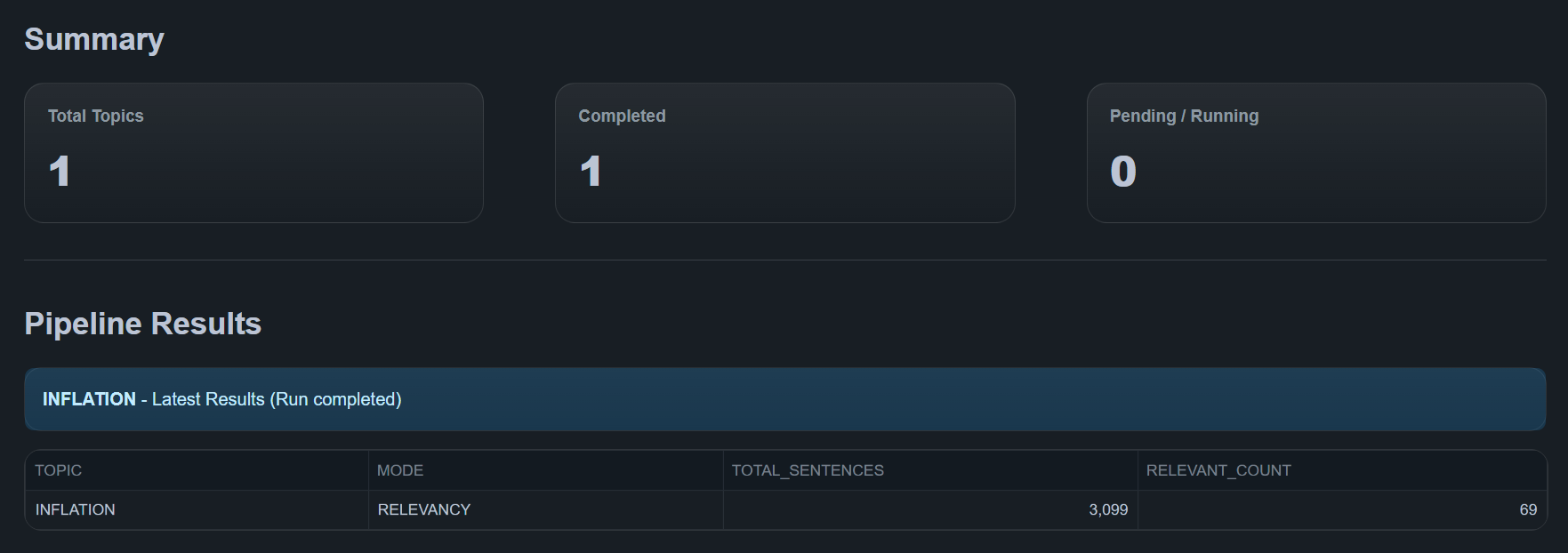
After a pipeline run completes, ZQ Classify displays:
Summary
- Total Topics
- Completed runs
- Pending / Running jobs
Results Table
Displays per-topic outputs:
- Analysis mode
- Total sentences
- Relevant / labeled counts
All results are stored in Snowflake and used by the Metrics module.
Best Practices
- Start with a limited number of topics before scaling
- Use precise topic descriptions
- Validate access grants before running large jobs
- Monitor execution in Telemetry for long-running workloads
For large datasets, ensure sufficient warehouse size and compute pool capacity.
Troubleshooting
-
Pipeline failures → Check execution details in Telemetry & Logs
-
Performance issues → Review warehouse size and compute pool status
-
Permission issues → Confirm required data access grants are applied
-
No results generated → Ensure the dataset is configured correctly and contains valid documents
-
Unexpected labels → Refine topic definitions and classification structure
Next Steps
After running ZQ Classify:
- Metrics - Create document-level indicators
- Telemetry - Monitor execution and logs
- Data Configuration - Change dataset